 Games
Games  Log in
  Live
Live  Promotions
Play Mobile Slots with the Crownjewelz App
Crown Jewelz Casino has a Progressive Website Application (PWA) instead of a native software. You can download the PWA of Crownjewelz on both iOS and Android devices via Safari or Chrome. Britons can play 11,000 games on Crown Jewelz app while accessing all platform features.
| Platform | Access method | Store availability | Installation required | Full feature access |
| Android | PWA installation | No | Yes | Yes |
| iOS | PWA installation | No | Yes | Yes |
| Windows and macOS | PWA installation | No | Yes | Yes |
Does CrownJewelz Have a Mobile App?
No, the casino doesn’t have a native CrownJewelz app, but players can download a PWA for iOS, Android and desktop devices. A PWA is a web-based platform that gives users direct access to casino games and other features.
Here’s a quick comparison table to understand the difference between a PWA and a dedicated app:
| PWA | Native software |
|---|---|
| Requires little memory storage, usually 100-200 MB | The software is large, requiring 200+MB |
| Downloaded from the official site | Downloaded from Google Play or App Store |
| PWA is the same across devices, casinos don’t have to develop separate software for each platform | It is built for one specific platform; thus you need a separate app for Android and iOS |
How to Download Crown Jewelz App: All Platforms
Setting up our mobile version varies from one platform to another.
- Android download: Begin the download by opening our site and finding the download link. Tap to install.
- iOS download: Considering it is a PWA, open Safari and use the Add to Home Screen command to install.
- Windows and macOS: Find the download icon at the end of the URL and click to download.
Download and Install PWA CrownJewelz on Android
Our software is not available on Google Apps because Google restricts offshore real money casino apps. Instead, we offer a Progressive Web App. It works like a native app, but does not require extra space on your phone for download. That’s how you install the PWA:
- Open our site: Launch CrownJewelz Casino on your Android phone.
- Open the main menu: Tap Browser at the chin of your phone to open the menu.
- Find the installation option for Crownjewelz app: Scroll down to find the Download App button and tap it.
- Install: Confirm installation in the pop-up window.
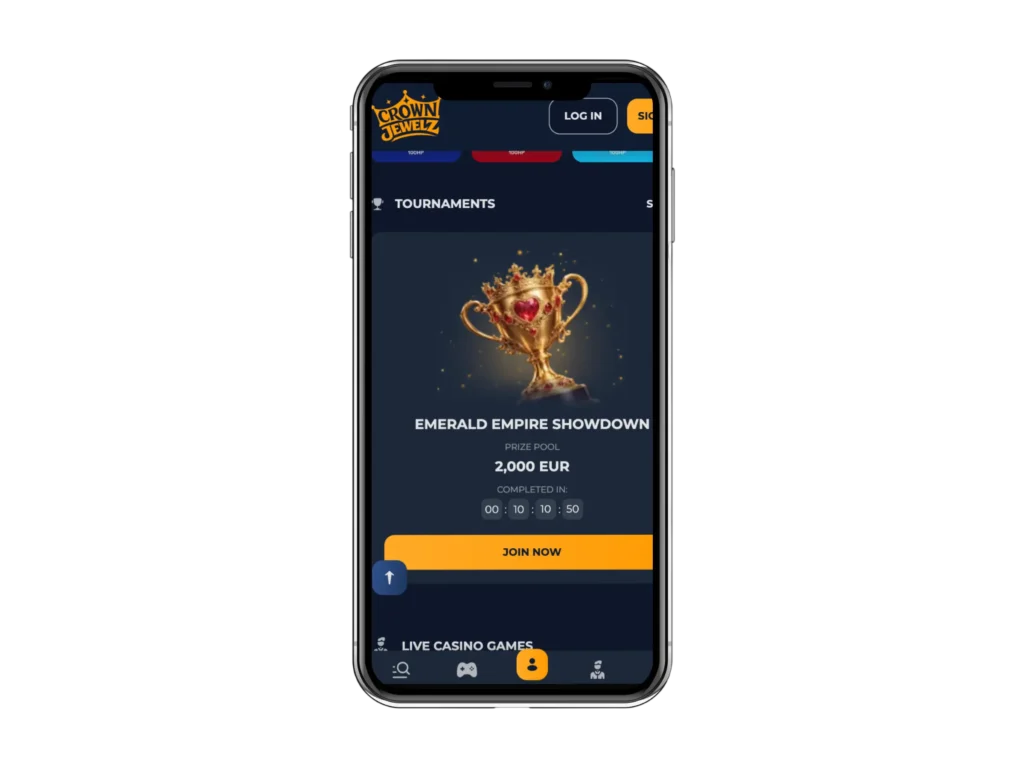
Add PWA to Home iOS Screen
You won’t find CrownJewelz mobile app in the Apple Store due to strict regulations on offshore real-money gambling apps. Instead, you can use the PWA. Your device must run iOS 16.4 or newer to receive push notification.
- Load the site: Open Safari and enter the casino URL.
- Open the Share button: Tap the button to access the Add to Home Screen command.
- Add: Tap add to install the application on your home screen.
The Add to Home Screen command only works on Safari browser. Chrome and Firefox do not support this feature on iOS. You also need 100–200 MB device storage.
Windows and macOS PWA Install on Desktop
Brits can install CrownJewelz app on Windows and macOS devices.
- Open the website: Load the site on Google Chrome on your Windows or macOS device.
- Look for the installation button: Find the Download App button on the main page and click it.
- Confirm: Click Install in the pop-up window for the PWA shortcut to appear on your desktop.
If using Windows 11, the Smart App Control may block the PWA. Open Windows Security, go to App and browser control, Smart App Control and set the mode to Evaluation.
If using macOS and the installation icon is missing, clear Chrome cache and reload CrownJewelz website. You need a minimum of macOS 10.15 (Catalina) to use the PWA.
Crown Jewelz App Features
The application offers the full desktop functionality on mobile devices, supporting all bonuses, games and other features. For example, you can use the filter feature to find games by category, provider or title on both desktops and mobile phones.
| Feature | Details |
|---|---|
| Game library | 11,000+ titles from 133 providers |
| Live casino | 896 games, including blackjack, roulette, baccarat, poker and live shows |
| Payments | Visa, Mastercard, Bank transfer, Bitcoin, Ethereum and other crypto methods |
| Security | SSL encryption, safe payment gateways, RNG certification |
| Responsible gambling | Links to problem gambling organizations and direct assistance via customer support |
| Performance | Zero lags and fast loading across devices |
| Languages | EN, NL, FR |
| User interface | Uncluttered layout, spin button, main lobby and other features are comfortably within reach of a thumb |
Mobile Game Selection
The CrownJewelz app gives you access to 11,000+ games without compromising on the quality of graphics or animations.
- BGaming: Lady Wolf Moon Megaways, Bonanza Billion, Big Boat Big Catch, Snoop Dogg Dollars, Fruit Million
- 100HP: Astronaut, Chicken Pirate, Coinflip, Crash, Crime Empire
- Iconic21: Blackjack 360 Midnight, Chicken Run, Crash Live, Cricket Blackjack
- Betsoft: Lucky Seven, Enchanted, Faerie Spells, Fire & Steel, 4 Seasons
CrownJewelz Mobile App vs Browser
The Crown Jewelz app offers the same benefits as the browser, including the full game library, bonuses and VIP perks, with the only difference being operational.
| App | Browser |
|---|---|
| Apps launch instantly from your home screen, giving users instant access | Browsers require users to enter the URL each time |
| PWA and APK store data locally, allowing faster loading of games and features | Browsers need to download visual elements every session |
| Users can receive instant notifications by enabling push notification | You need to log in to read notifications |
| You require more storage space | You only need enough space to store the cache temporarily |
You can use the application if you want to play on the go on your phone and use the browser on your desktop to play multiple games simultaneously.
Mobile Security and Data Protection
We ensure your security by integrating specific features on the CrownJewelz app. These include:
- 128-bit SSL encryption: This protects player data during registration and logins and financial transactions.
- Crypto payments via mobile gateway: You can scan QR codes on your mobile to deposit directly to the casino wallet.
- Anomaly detection: We have systems to detect anomalies, including multiple withdrawals within a short period and notify players via email.
- Biometrics: Users can enable biometrics on their devices to restrict access to the casino platform.
Troubleshooting and Common Crown Jewelz App Installation Issues
Setting up a casino software on your device may be faced with unique hurdles, which can be solved in 2–3 steps.
| Issue | Platform | Cause | Fix |
|---|---|---|---|
| App can’t install | Android | Installation blocked or browser restrictions | Open CrownJewelz in Chrome and use the Install App or Add to Home Screen option |
| Geolocation restrictions | All platforms | Using VPN or accessing the site from restricted location | Turn off VPN |
| Application not supported | Android and iOS | Outdated operating system or browser | Update your OS and access our site via a compatible browser like Chrome or Safari |
| Sudden crash or loading issue | Android and iOS | Browser cache or temporary issue | Clear your browser cache and reload the site. Reinstall the PWA from the official website if needed |